|
Sage 50 Peachtree Help
|
|
|
|
Products/Services
|
|
|
|
Sage 50 Peachtree Training
|
|
|
|
|
|
|
|
|
|
YOUR PRICE: 10% Less Than Sage's Price - Call 1-800-259-4213 to order.
Allday Consulting is an Authorized Reseller and have been selling and supporting Sage 50 since 1985. We always sell the most current version of the software. Your order is shipped directly from Sage 50.
Data Conversion is available! We offer conversions from an older version to newer, from DOS to Windows, or even from QuickBooks to Sage 50.
|
|
|
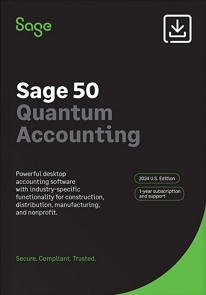
Sage 50 Peachtree Quantum Accounting
Sage 50 Quantum enables you to manage all aspects of your business, including accounting, customers, inventory, services, jobs and employees - all in one centralized business management software solution. Designed to grow with your business, accommodating from 5 to 40 licensed, named users.
Available with all the features of Sage 50 Quantum Accounting, it provides robust core accounting features plus powerful and flexible tools especially for distributors such as flexible pricing, advanced inventory management, UPS integration, and special reports.
|
|
|
|
|
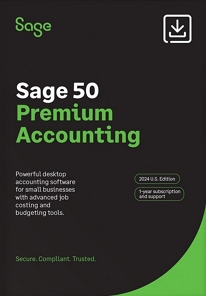
Sage 50 Peachtree Premium Accounting
If you manage multiple companies and budgets or need better insight into your numbers for strategic planning, then Sage 50 Premium Accounting is for you. It includes all of the features in Sage Sage 50 Complete Accounting, plus advanced filtering on financial statements, progress billing, serialized inventory, and employee compensation tracking.
|
|
|
|
|
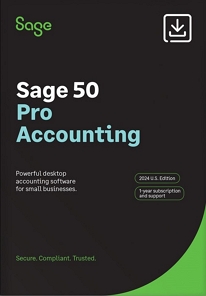
Sage 50 Peachtree Pro Accounting
Sage Sage 50 Pro Accounting provides easy-to-use tools to help manage your expanding business needs. Based on real, double-entry accounting principles, it includes features such as inventory management, business analytics, payroll, and customizable reports.
|
|
|
|
|
[Return to previous page]
[Return to top of page]

Copyright © 2020-2021
The Allday Consulting Group, LLC
Certified Public Accountants
2901 N. Causeway, Blvd., Ste. 301
Metairie, Louisiana 70002
Toll Free Phone: 800-259-4213
Fax: 504-834-8218
Email: Dan@alldaycpa.com
Company Site:
www.AlldayCPA.com
Admin Sign In
|
SSL Certificate
|
|
